Producers stuck in four-chord loops
Move beyond familiar progressions by building from modal structure instead of guessing.
Harmony Grimoire is a Windows VST for building modal chord palettes, arranging progressions, exploring key changes, checking playable voicings, and exporting MIDI directly into your DAW.
Not random chord generation. Not a preset pack. A harmonic writing instrument for musicians who want structure, movement, and control.
One-time license
$18.95 USD
One-time permanent license. No subscription.
System Requirements
Supported format: VST3 for Windows
Requires a VST3-compatible DAW
Exports MIDI for further editing and production
One license includes 2 machine activations
7-day refund review window for eligible requests
Use the same email at checkout and account sign-in for automatic license recovery.
Workflow Preview
Click through the writing path and watch the same working surface move from harmonic field to arrangement, modulation, instrument mapping, and export.
Step 1 / Harmonic Field
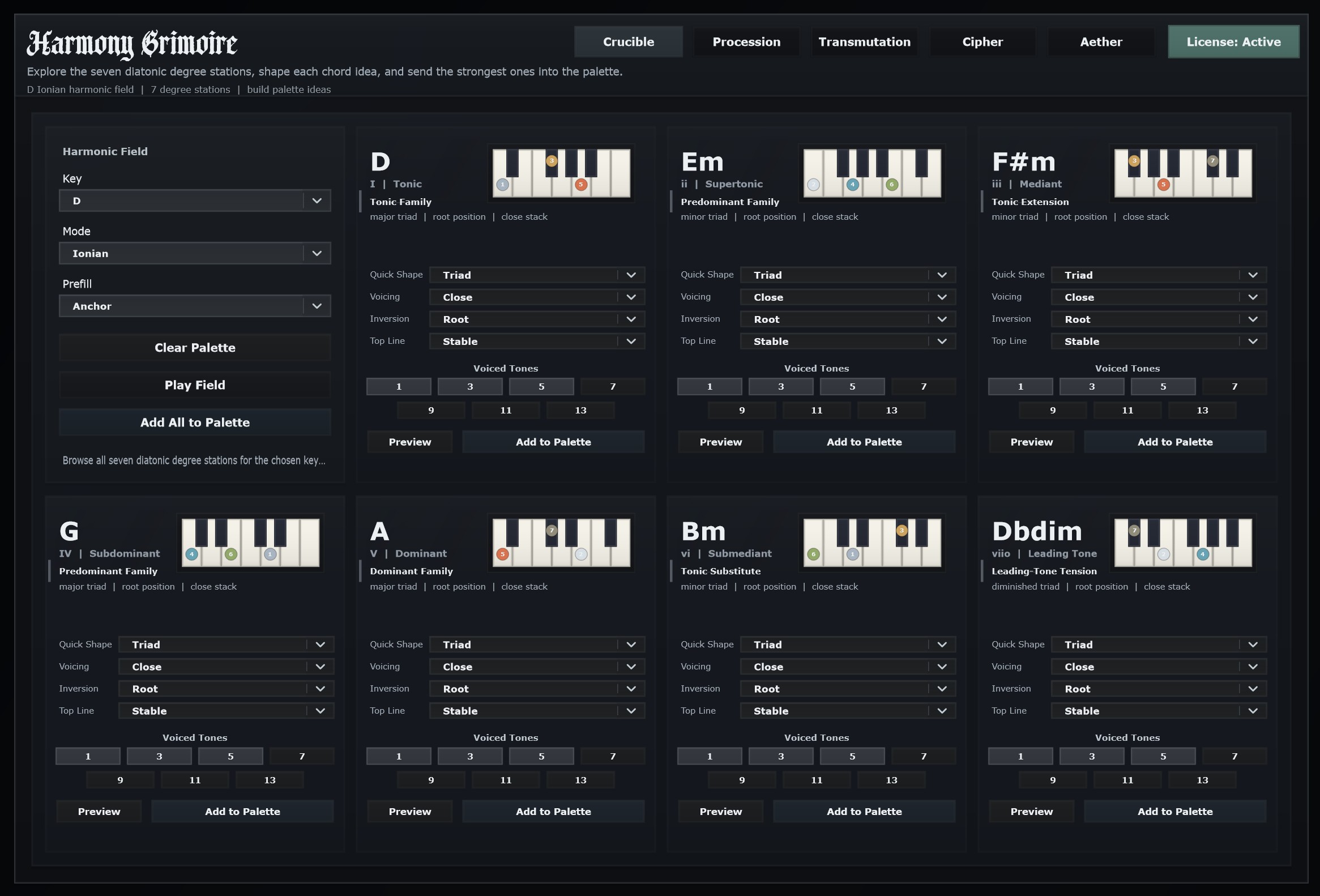
Build the harmonic field before it becomes a progression.
Crucible keeps the writing grounded in harmonic structure instead of random chord browsing.
Seven diatonic stations for the active key and mode
Chord shape, voicing, inversion, top-line, and voiced-tone control
Phrase-role aware chord identities and transition hints
Who It Is For
Move beyond familiar progressions by building from modal structure instead of guessing.
Check how harmonic ideas map onto real instruments before exporting MIDI.
Explore modes, degrees, inversions, extensions, and key movement through a hands-on writing surface.
Use guided harmonic tools without giving up authorship of the final progression.
Built For Authorship
Harmony Grimoire helps you construct harmonic material while keeping the decisions, edits, and final MIDI in your hands.
FAQ
Need something more specific? Reach out at support@harmonygrimoire.com.
No. It is a Windows VST designed to work inside a compatible DAW.
No. It helps you build harmonic material, arrange progressions, explore movement, and export MIDI for further production.
No. The workflow is designed to make harmonic structure explorable, while musicians with theory knowledge can go deeper.
Yes. The exported MIDI is meant to be edited, orchestrated, and produced in your DAW.
Each license includes up to 2 machine activations.
Contact support@harmonygrimoire.com and use the same email address used at checkout.